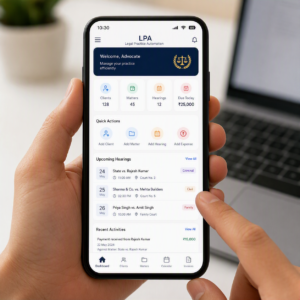
LPA Software
LPA software helps teams run layered process audits, spot gaps early, track corrective actions, and keep critical work steps consistent across every layer.
LPA software gives quality, production, and operations teams a simpler way to manage Layered Process Audits. Instead of relying on paper forms or scattered spreadsheets, teams can use digital checklists, capture evidence, assign actions, and review results in one place.
With eAuditor Audits & Inspections, teams can build a clear audit process around their own standards. The platform supports digital inspections, real-time reporting, corrective action tracking, and customizable checklists.
Explore eAuditor Audits & Inspections
What Is LPA Software?
LPA software is a digital tool used to plan, conduct, record, and manage Layered Process Audits.
A Layered Process Audit checks the same critical process at different levels of an organization. For example, an operator may check the process each day. A supervisor may review it during the week. A manager may perform a higher-level check each month.
This approach helps teams spot process drift before it turns into defects, delays, rework, or customer complaints.
Good LPA software keeps these checks organized. It also makes it easier to see who completed an audit, what they found, and what happened next.
Why Do Teams Use LPA Software?
Manual audits often create small problems that add up. Paper forms can get lost. Spreadsheet records can become hard to manage. Corrective actions can also sit open for too long.
Digital LPA software helps solve these issues.
Teams can use it to:
- Create standard LPA checklists.
- Schedule recurring audits.
- Assign audits to the right people.
- Complete checks on mobile devices.
- Capture photos and notes.
- Record non-conformances.
- Assign corrective actions.
- Set action deadlines.
- Track audit completion.
- Generate reports.
- Review recurring problems.
- Compare results across teams or sites.
As a result, managers get a clearer view of process performance without chasing paper records.
How Does Layered Process Auditing Work?
An LPA program usually uses several audit layers.
Operator or frontline layer: Workers or frontline leaders check key process steps and confirm that standard work is followed.
Supervisor layer: Supervisors verify process compliance, review findings, and check whether earlier actions were completed.
Manager layer: Managers look for trends, repeat issues, and weak controls across departments.
Leadership layer: Senior leaders review overall performance and make sure improvement work stays on track.
Each layer has a different role. However, all layers support the same goal: keeping critical processes under control.
What Should LPA Software Include?
The right LPA software should make the audit process easy from start to finish.
Custom checklists let teams match audits to their actual work. You can add questions for process steps, equipment, materials, quality, documentation, or other controls.
Mobile inspections let auditors complete checks where the work happens. This reduces the need to carry paper forms around the facility.
Evidence capture gives findings more context. Auditors can add photos, notes, and other supporting information when needed.
Corrective action tracking helps teams move beyond simply recording a problem. Managers can assign actions, set deadlines, and monitor progress.
Reporting and dashboards help leaders understand results. They can identify repeat findings and see where teams need more attention.
Offline functionality can also help teams work in areas with poor connectivity. eAuditor's LPA solution supports offline mobile inspections as part of its digital audit workflow.
Key Benefits of LPA Software
A good LPA system can improve both audit quality and daily operations.
Better process control: Regular checks help teams confirm that important steps are followed as planned.
Faster issue detection: Teams can identify small deviations before they become larger quality problems.
Less paperwork: Digital forms reduce manual data entry and paper storage.
Clear accountability: Managers can see who owns an action and when it is due.
Stronger follow-up: Corrective actions remain visible until teams address them.
Better visibility: Dashboards and reports help leaders understand trends across audits.
Consistent standards: Digital templates help different auditors follow the same basic process.
Continuous improvement: Recurring findings can reveal where a process needs better training, controls, or standard work.
How eAuditor Supports LPA Programs
eAuditor provides tools that help teams digitize Layered Process Audits and connect audit findings with follow-up work.
The platform supports custom templates, mobile inspections, real-time reporting, corrective action tracking, role-based assignments, cloud-based records, and analytics.
That makes eAuditor Audits & Inspections useful for teams that want more than a digital form. The goal is to create a complete audit workflow.
For example, a quality manager can create an LPA checklist. The team can then assign that checklist to different audit layers. Auditors can complete their checks on site, add evidence, flag issues, and assign corrective actions.
Managers can then review the results and look for repeat problems.
Learn about Layered Process Audits with eAuditor
Related eAuditor LPA Checklist
The Layered Process Audit Checklist in the eAuditor library gives teams a practical starting point for an LPA program.
The checklist asks whether operators understand how their work affects customers, whether error-proofing devices can identify defective parts, and whether workers can explain and follow posted work instructions. It also checks PPE, materials, and the handling of scrap or defective parts.
Layered Process Audit Checklist – eAuditor Template
This checklist can help teams standardize important LPA questions. You can then adapt the audit to match your own process, product, site, and quality requirements.
Related Manufacturing Process Audit Checklist
The Manufacturing Process Audit Checklist is another useful resource for teams that use LPA software in production environments.
It covers areas such as PPE, machine guards, safety procedures, tools, materials, workstation setup, error-proofing, reporting, and process documentation. It also checks whether workers can access current instructions and understand the standard process.
Manufacturing Process Audit Checklist – eAuditor Template
This template works well alongside an LPA program because it gives teams a broader view of manufacturing process controls.
Related 5S Audit Checklists
Workplace organization often plays a big role in process consistency. Therefore, 5S checklists can support an LPA program.
The 5S Workplace Organization Audit Checklist checks sorting, storage, cleaning, visual controls, employee awareness, and ongoing 5S compliance.
5S Workplace Organization Audit Checklist – eAuditor Template
For warehouse teams, the 5S Warehouse Checklist covers areas such as materials, equipment, floor conditions, work surfaces, cleaning, storage locations, standard work, training, and corrective actions.
5S Warehouse Checklist – eAuditor Template
Manufacturing teams can also use the Manufacturing 5S Best Practice Checklist. It covers Sort, Straighten, Shine, Standardize, and Sustain, including visual controls, cleaning, standard work, training, and 5S action plans.
Manufacturing 5S Best Practice Checklist – eAuditor Template
How to Choose the Right LPA Software
Start by looking at your current audit process.
Ask how your team creates checklists, assigns audits, records findings, and follows up on actions. Then look for software that improves those steps without making the workflow harder.
Consider these points:
- Ease of use: Can auditors learn the system quickly?
- Checklist flexibility: Can you change questions as your process changes?
- Mobile access: Can people complete audits on the shop floor?
- Evidence capture: Can auditors add photos and notes?
- Action management: Can managers assign and track corrective actions?
- Scheduling: Can you manage recurring audits?
- Reporting: Can leaders quickly understand audit results?
- Scalability: Can the system support more users and locations?
- Data access: Can managers review records when they need them?
- Integration with improvement work: Can audit findings support broader quality initiatives?
The best LPA software should fit the way your team works. A long feature list means little if auditors find the system difficult to use.
How to Implement LPA Software
Start small. Choose a few critical processes instead of trying to digitize every audit on day one.
Next, identify the questions that matter most. Keep the checklist short and clear. Auditors should understand exactly what each question asks.
Then assign each audit layer. Decide who checks the process, how often they check it, and who reviews the results.
After that, set rules for corrective actions. Define who owns each action and when the team must close it.
Finally, review your audit data on a regular basis. Look for repeat findings rather than focusing only on individual scores.
This approach turns LPA software into a process improvement tool instead of just another digital form.
Common Mistakes to Avoid
Even good software cannot fix a poorly designed LPA program.
Avoid creating huge checklists that take too long to complete. Focus on critical process points instead.
Do not use vague questions. Auditors should know what good performance looks like.
Avoid assigning every audit to the same person. Different layers should provide different levels of oversight.
Do not close an audit and forget about its findings. Follow-up matters just as much as the initial check.
Finally, avoid measuring success only by the number of completed audits. A better measure is whether audits help reduce repeat problems and improve process control.
Why Digital LPAs Support Continuous Improvement
An LPA should not end when an auditor submits a form.
The real value comes from what happens after the audit. Teams can review findings, identify patterns, assign actions, and check whether the fix worked.
For example, if several audits show that operators struggle with the same work instruction, the issue may not be individual performance. The instruction itself may need improvement.
Similarly, repeated findings around equipment may point to a maintenance or process-control issue.
With LPA software, teams can turn these observations into useful data. Over time, that data can help quality and operations leaders make better decisions.
Final Thoughts on LPA Software
LPA software helps organizations make Layered Process Audits more consistent, visible, and useful. Instead of managing paper forms and disconnected spreadsheets, teams can build a connected digital audit workflow.
eAuditor Audits & Inspections combines customizable checklists, mobile inspections, evidence capture, reporting, and corrective action tracking.
The eAuditor library also provides ready-to-use resources, including the Layered Process Audit Checklist, Manufacturing Process Audit Checklist, and several 5S checklists.
Ultimately, effective LPA software should help teams ask better questions, find problems sooner, fix them faster, and keep important processes on track.
Frequently Asked Questions About LPA Software
What does LPA stand for?
LPA stands for Layered Process Audit. It is an audit method where different levels of an organization check critical processes at planned intervals.
What is LPA software?
LPA software is a digital system that helps teams create, schedule, conduct, document, and manage Layered Process Audits.
Why should companies use LPA software?
Companies use LPA software to reduce paperwork, standardize audits, improve visibility, track corrective actions, and identify process gaps earlier.
What should an LPA checklist include?
An LPA checklist should focus on critical process controls. It may include work instructions, process compliance, error-proofing, materials, equipment, quality checks, PPE, documentation, and corrective actions. The eAuditor Layered Process Audit Checklist covers several of these areas.
Can eAuditor be used for Layered Process Audits?
Yes. eAuditor supports digital Layered Process Audits with customizable checklists, mobile inspections, evidence capture, reporting, and corrective action tracking.
Can I customize an LPA checklist in eAuditor?
Yes. eAuditor supports customizable audit templates, so organizations can adapt checks to their processes and operational requirements.
Can LPA software track corrective actions?
Yes. Corrective action tracking is a key part of a digital LPA workflow. Teams can assign follow-up work, set deadlines, and monitor completion.
Is LPA software useful only for manufacturing?
No. Manufacturing uses LPAs heavily, but the method can also support other environments where teams need to verify standard processes, quality controls, safety practices, or operational requirements.
How often should teams perform LPAs?
The right frequency depends on the process, risk, and audit layer. Some checks may happen daily, while supervisor, manager, or leadership audits may happen weekly or monthly.
How does LPA software reduce paperwork?
Digital LPA software replaces paper forms with electronic checklists and records. Teams can collect findings, evidence, and corrective actions digitally.
What is the difference between an LPA and a general process audit?
An LPA focuses on frequent checks performed by different organizational layers. A general process audit may involve a broader or less frequent review of how a process works.
What makes an LPA program successful?
A successful LPA program uses short and clear checklists, regular audits, multiple audit layers, strong follow-up, and management review. Most importantly, teams must use findings to improve the process.
Where can I find LPA checklist templates?
The eAuditor library provides a ready-to-use Layered Process Audit Checklist, along with manufacturing process and 5S audit templates.
Browse the eAuditor LPA Checklist https://eauditor.app/2026/08/28/lpa-software/


Comments
Post a Comment