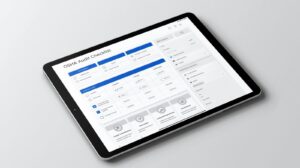
OSHA Audit Checklist App
An OSHA audit checklist app helps safety teams inspect faster, spot hazards early, document findings, and track corrective actions in one simple workflow.
Workplace safety audits can become hard to manage when teams rely on paper forms, spreadsheets, and scattered notes. A digital OSHA audit checklist app gives safety managers a clearer way to plan inspections, record findings, assign actions, and review results.
eAuditor Audits & Inspections helps teams move these tasks into one connected system. The platform lets users create digital checklists, conduct inspections on mobile devices, capture photos and notes, generate reports, and track corrective actions.
For teams that perform regular workplace safety checks, this approach can reduce manual work while making inspection data easier to review and act on.
What Is an OSHA Audit Checklist App?
An OSHA audit checklist app is a digital tool that helps organizations perform structured workplace safety audits and inspections.
Instead of carrying printed forms around a site, inspectors can use a phone, tablet, or computer. They can answer checklist questions, add comments, attach photos, record findings, and complete the inspection from the field.
The process also creates a more consistent audit trail. Managers can review completed inspections, identify recurring issues, and assign corrective actions without waiting for paper forms to reach the office.
An app does not replace OSHA requirements or professional judgment. Rather, it helps teams organize their inspection process and document what they find.
Why Use an OSHA Audit Checklist App?
Paper checklists may look simple, but they can create extra work. Inspectors must carry forms, write notes, take separate photos, and later transfer information into reports.
A digital OSHA audit checklist app brings these steps together.
Key benefits include:
- Faster workplace inspections
- More consistent checklist completion
- Photo and note capture during inspections
- Easier identification of hazards
- Faster corrective-action assignment
- Better inspection records
- Automated or structured reports
- Real-time visibility into inspection results
- Easier tracking across multiple locations
- Less dependence on paper forms
eAuditor supports mobile inspections, offline work, real-time syncing, photo and video documentation, digital signatures, QR and barcode scanning, smart calculations, and customizable reports.
Key Features to Look For in an OSHA Audit Checklist App
Choosing an app is easier when you know what your safety team needs.
Customizable checklists: Every workplace has different hazards. Look for tools that let you create or modify checklist questions, sections, scoring rules, and inspection logic.
Mobile inspections: Inspectors should be able to complete audits where the work happens. eAuditor supports inspections through mobile devices as well as its web platform.
Offline access: Construction sites, warehouses, plants, and remote locations may have weak connections. eAuditor allows users to conduct inspections offline and sync information when they reconnect.
Photo and note capture: A written comment may not fully explain a hazard. Photos and notes give managers useful context and help teams understand what needs to change.
Corrective actions: Finding a problem is only the first step. A useful app should help assign the action, responsible person, and follow-up.
Reports: Managers often need clear records after an inspection. eAuditor can generate professional reports and lets teams customize report layouts.
Dashboards and analytics: Trend data can show where hazards occur most often and where inspection performance needs attention.
Scheduling: Regular inspections become easier when teams can schedule recurring checks and assign them to specific users.
OSHA Audit Checklist App for Different Workplaces
An OSHA audit checklist app can support many types of workplaces because safety risks vary by industry.
Manufacturing teams may inspect machinery, PPE, electrical systems, chemicals, welding areas, and emergency controls.
Construction teams may focus on site access, housekeeping, fall hazards, equipment, traffic routes, and worker protection.
Warehouses may inspect aisles, exits, forklifts, storage areas, compressed gas cylinders, and hazard controls.
Hotels and other facilities may need checks for fire safety, emergency exits, hazardous materials, and hazard communication.
This flexibility makes digital checklists useful for both routine inspections and focused audits.
Related eAuditor OSHA Audit Checklists
The eAuditor template library includes several checklists that can support an OSHA-focused inspection program. (eauditor.app)
OSHA Personal Protective Equipment (PPE) Checklist
View the OSHA Personal Protective Equipment (PPE) Checklist
This checklist covers foot and hand protection. It asks whether workers use suitable protective footwear, whether damaged PPE gets replaced, and whether employees receive training on glove selection and use. It also checks whether workers use appropriate gloves for chemical and corrosive hazards.
Welding Risk Checklist - OSHA
View the Welding Risk Checklist - OSHA
Welding operations can involve electrical, fire, equipment, and operator hazards. This eAuditor checklist covers topics such as operator qualification, welding equipment, electrical contact protection, control devices, guards, and emergency stop controls.
OSHA Yard Forklift Truck Inspection Checklist
View the OSHA Yard Forklift Truck Inspection Checklist
This checklist focuses on forklift condition and safe operation. It includes checks for the overhead guard, hydraulic cylinders, mast assembly, lift chains, forks, tires, LPG equipment, engine oil, battery, and hydraulic fluid.
OSHA Hotel Safety Checklist
View the OSHA Hotel Safety Checklist
This template covers fire safety, emergency action plans, exit routes, fire alarms, fire extinguishers, hazardous materials, and hazard communication. It can help hotel teams organize safety checks across key areas.
Environmental, Health, and Safety (EHS) Checklist
View the Environmental, Health, and Safety (EHS) Checklist
This broader EHS checklist covers general information, aisles, exits, egress, compressed gas cylinders, emergency information, and other workplace safety controls.
Warehouse Health and Safety Checklist
View the Warehouse Health and Safety Checklist
Warehouse teams can use this checklist to review management commitment, safety planning, hazard registers, hazard controls, employee training, signage, and visitor controls.
How to Use an OSHA Audit Checklist App
A good process keeps inspections simple.
1. Choose or create your checklist
Start with an existing eAuditor template or build your own checklist. eAuditor supports customizable templates and can also convert existing paper or Excel checklists into digital forms. (eauditor.app
2. Define inspection areas
Break the audit into practical sections. These might include PPE, emergency exits, electrical safety, fire safety, machinery, chemicals, housekeeping, and employee training.
3. Conduct the inspection
The inspector completes the checklist on a mobile device or computer. Required questions and inspection logic can help guide the user through the process.
4. Document findings
Add photos, notes, and other evidence when you identify a problem. Clear evidence makes follow-up easier.
5. Assign corrective actions
Create an action when a checklist response identifies a problem. Assign responsibility and set a due date so the issue does not disappear after the inspection.
6. Review the report
Once the inspection is complete, users can review actions and generate or export the inspection report.
7. Track trends
Use dashboards and inspection data to spot repeat hazards, overdue actions, and changes in safety performance. eAuditor provides real-time analytics and reporting tools for this purpose.
How eAuditor Supports OSHA Safety Audits
eAuditor is designed to turn checklists into a connected inspection workflow rather than leaving them as static forms.
Teams can build templates, conduct inspections, capture issues, assign tasks, generate reports, and review performance data in one platform.
The platform also supports offline inspections. That matters when inspectors work in areas where internet access is unreliable. Data can sync once the device reconnects.
Another useful feature is issue capture. Workers can report observations, hazards, and near misses without relying only on a formal inspection process.
Managers can also use team permissions and groups to control access and support collaboration across locations.
Explore eAuditor Inspections
OSHA Audit Checklist App for Corrective Actions
A safety audit has little value if the team only records problems.
Suppose an inspector finds damaged PPE during an audit. The digital workflow can turn that finding into an action for the responsible person. A similar process can work for blocked exits, damaged electrical equipment, missing signs, unsafe forklift conditions, or other hazards.
This creates a simple chain:
Find the issue → Record the evidence → Assign the action → Set the deadline → Track completion → Verify the fix
eAuditor provides task management and corrective-action workflows that help teams maintain accountability after an inspection.
OSHA Audit Checklist App and Reporting
Reports help safety managers communicate findings without rebuilding information from handwritten notes.
A digital report can bring checklist responses, comments, photos, scores, and actions into one record. eAuditor supports professional reports and customizable report layouts for different stakeholders.
That makes it easier to share results with managers, site teams, clients, or other relevant stakeholders.
More importantly, digital records make it easier to compare inspections over time and identify recurring problems.
Tips for Building an Effective OSHA Audit Checklist
Keep the checklist focused. A very long checklist can slow inspections and encourage rushed answers.
Use clear questions. Each question should tell the inspector exactly what to check.
Add evidence fields. Photos and comments can provide useful context for failed items.
Include N/A options where appropriate. Not every workplace has the same equipment or hazards.
Set clear scoring rules. Scores can help teams compare locations or inspection periods.
Add corrective actions. Every important finding should have a clear path toward resolution.
Review the checklist regularly. Workplaces change, equipment changes, and processes change. Your checklist should change with them.
Train inspectors. Even the best OSHA audit checklist app cannot replace a trained person who understands the workplace and its hazards.
Move From Paper Audits to Digital Inspections
Moving to a digital OSHA audit checklist app does not mean rebuilding your safety program from scratch.
Teams can start with their existing forms, identify the most important inspection areas, and digitize those workflows first. eAuditor supports importing existing checklists and customizing them as digital templates.
A small pilot can also help. Start with one site or one inspection type, gather feedback from inspectors, and then expand the process.
Get Started With eAuditor
OSHA Audit Checklist App: Frequently Asked Questions
What is an OSHA audit checklist app?
An OSHA audit checklist app is software that helps safety teams conduct structured workplace inspections, document hazards, create reports, and track corrective actions digitally.
Can eAuditor be used for OSHA-related inspections?
Yes. eAuditor supports safety inspections and provides OSHA-related templates in its library, including PPE, welding, forklift, and hotel safety checklists.
Can I create my own OSHA audit checklist in eAuditor?
Yes. eAuditor provides a template builder for creating customized inspection forms. Teams can also convert existing paper or Excel checklists into digital templates.
Can inspectors use eAuditor without an internet connection?
Yes. eAuditor supports offline inspections and syncs information when the device reconnects.
Can an OSHA audit checklist app capture photos?
Yes. eAuditor supports photo and video documentation during inspections, which can help inspectors provide visual evidence of findings.
Can I assign corrective actions after an audit?
Yes. eAuditor allows teams to create and assign actions from inspection findings and track their progress. (eauditor.app)
Can eAuditor generate inspection reports?
Yes. eAuditor can generate professional inspection reports and offers customizable report layouts.
Can I use an OSHA audit checklist app across multiple sites?
Yes. A digital inspection platform can help organizations standardize checklists and review inspection data across locations. eAuditor also provides team management, analytics, and cloud-based access to inspection information.
Does an OSHA audit checklist app guarantee OSHA compliance?
No. Software supports the inspection and documentation process, but it does not guarantee compliance. Organizations still need to understand the applicable OSHA requirements, use suitable inspection criteria, and act on identified hazards.
Where can I find OSHA-related eAuditor checklist templates?
You can browse the eAuditor template library for OSHA and workplace safety templates, including PPE, forklift, welding, EHS, and other inspection checklists.
Browse eAuditor Checklist Templates
Final Thoughts
An OSHA audit checklist app can make workplace inspections faster, clearer, and easier to manage. Instead of collecting paper forms and chasing follow-ups, safety teams can capture findings in the field and move them directly into corrective-action workflows.
With eAuditor Audits & Inspections, teams can digitize checklists, perform mobile inspections, document findings, generate reports, and monitor safety trends from one platform.
The best approach is simple: start with the hazards that matter most, build a practical checklist, involve the people who perform inspections, and use the data to fix problems—not just record them. https://eauditor.app/2026/08/27/osha-audit-checklist-app/


Comments
Post a Comment