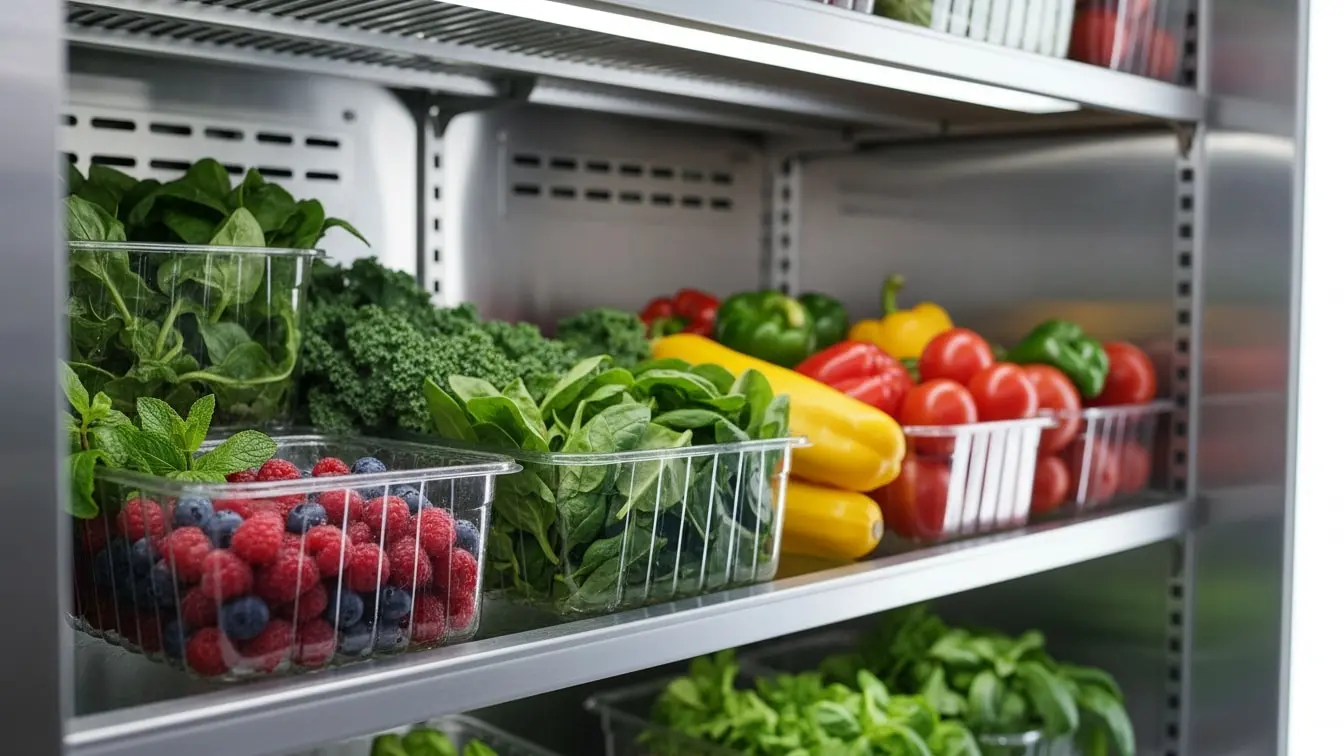
Refrigerator Temperature Log Template: A Simple Guide to Safer Food Storage
A refrigerator can look clean and still have a food safety problem. If the temperature rises, food can spoil before anyone notices. Therefore, regular temperature checks matter. A Refrigerator Temperature Log Template gives staff a simple way to record fridge temperatures at set times. It also helps teams spot temperature changes early, record corrective action, and keep clear inspection records.
Moreover, a good log makes daily checks easier. Staff know what to check, when to check it, and what to do when the reading falls outside the set range. As a result, managers gain a clearer view of refrigeration control.
With eAuditor Audits & Inspections, teams can move this process from paper logs to a digital workflow. They can record readings, add notes, document issues, and track corrective actions in one place. eAuditor also provides related food safety and refrigeration resources.
What Is a Refrigerator Temperature Log Template?
A Refrigerator Temperature Log Template is a standard form used to record the temperature of a refrigerator over time.
Typically, the template includes:
- Refrigerator or unit name
- Date
- Time
- Temperature reading
- Target or acceptable range
- Staff name or initials
- Minimum temperature, where required
- Maximum temperature, where required
- Corrective action
- Supervisor review
- Comments
Therefore, each reading creates a simple record of temperature control.
Why Use a Refrigerator Temperature Log Template?
Temperature control protects food quality and safety. However, staff cannot manage what they do not measure.
A temperature log helps teams:
- Check refrigeration at regular times.
- Spot temperature changes early.
- Record readings in a consistent format.
- Identify equipment problems.
- Reduce food waste.
- Support food safety procedures.
- Improve staff accountability.
- Track corrective actions.
- Keep useful inspection records.
- Prepare for internal reviews.
Furthermore, digital records can make it easier to review trends and identify repeated problems.
Who Uses a Refrigerator Temperature Log?
Many businesses can use a refrigerator temperature log, including:
- Restaurants
- Cafes
- Hotels
- Bakeries
- Catering businesses
- Schools
- Hospitals
- Care facilities
- Grocery stores
- Food warehouses
- Commercial kitchens
- Food manufacturing sites
- Retail food businesses
The exact checks and limits should match the food, equipment, process, and requirements that apply to the operation.
What Should a Refrigerator Temperature Log Include?
A useful template should stay simple. Staff need to complete it quickly and correctly.
Refrigerator Identification
First, identify the unit.
Record:
- Refrigerator name
- Unit number
- Location
- Department
- Date
- Person responsible for the check
This step prevents staff from mixing records when a site has several refrigerators.
Temperature Reading
Next, record the actual temperature.
For example:
Date
Time
Temperature
Status
Initials
Monday
8:00 AM
3°C
Pass
AB
Monday
2:00 PM
4°C
Pass
AB
Tuesday
8:00 AM
3°C
Pass
CD
A simple format helps staff complete the log without confusion.
Minimum and Maximum Readings
Some operations also track minimum and maximum temperatures.
This approach can show temperature changes that a single reading may miss. Therefore, it can provide a better picture of how the refrigerator performs between checks.
Corrective Action
A strong template should not stop at recording a failed reading.
Instead, it should ask:
- What was the temperature?
- When was it found?
- What action did staff take?
- Was food moved?
- Was the refrigerator checked?
- Was maintenance contacted?
- Who completed the action?
- Was the issue verified as closed?
As a result, the log becomes an action record rather than just a list of numbers.
How to Complete a Refrigerator Temperature Log
A consistent routine makes temperature checks easier.
Step 1: Identify the Refrigerator
Start by checking the unit name or number. Then make sure you use the correct log.
Step 2: Check the Temperature
Use the approved thermometer or monitoring method for your operation.
Then, read the temperature carefully.
Step 3: Record the Reading
Enter the actual temperature. Do not guess or copy the previous reading.
Step 4: Compare the Reading
Next, compare the reading with your approved operating range.
The correct limit depends on the food, process, equipment, and applicable requirements. For example, eAuditor's food storage guidance describes refrigerated storage at or below 41°F (5°C).
Step 5: Take Action if Needed
If the reading falls outside the required range, follow your food safety procedure.
You may need to:
- Recheck the temperature.
- Check the refrigerator door.
- Check the thermostat.
- Check the power supply.
- Move food to a suitable unit.
- Notify a supervisor.
- Contact maintenance.
- Assess affected food.
- Record the corrective action.
Step 6: Sign or Approve the Record
Finally, record the staff initials, name, or electronic sign-off required by your process.
This creates accountability and helps managers verify that checks took place.
Common Problems Found Through Temperature Logs
Temperature logs can reveal more than one bad reading.
They can help teams spot:
- Refrigerator temperature fluctuations
- Equipment failure
- Poor door seals
- Overloaded refrigerators
- Blocked air vents
- Poor air circulation
- Thermostat problems
- Thermometer problems
- Delayed temperature checks
- Staff training gaps
eAuditor's food temperature guidance also highlights issues such as refrigeration fluctuations, equipment problems, delayed checks, and inaccurate thermometer readings.
Therefore, reviewing the log regularly can help teams fix the cause instead of repeatedly reacting to the same problem.
Refrigerator Temperature Log and Food Safety
Temperature control forms an important part of food safety.
A refrigerator must maintain conditions that protect the food stored inside it. However, the right limit can vary based on the food and the applicable food safety program.
Therefore, businesses should define their limits clearly. They should also train staff to understand what each reading means and what action to take when the reading falls outside the approved range.
eAuditor's food storage checklist, for example, includes temperature control, regular temperature logging, documentation of deviations, and equipment maintenance.
Refrigerator Temperature Log Template Best Practices
A good log should be easy to use. At the same time, it should capture enough information to support food safety decisions.
Keep the Template Clear
Avoid unnecessary fields. Staff should see the required information at a glance.
Set Clear Check Times
Define when staff must take readings. Then, make those times part of the daily routine.
Record Actual Readings
Always record the actual temperature. Do not use a standard number unless the monitoring system provides that value directly.
Define Corrective Actions
Staff should know what to do when a reading falls outside the approved range.
Review Records
Managers should review completed logs. Moreover, they should look for missed checks and repeated temperature problems.
Check the Thermometer
A refrigerator log is only useful when the measurement is reliable. Therefore, include thermometer checks and calibration controls where required by your process.
Keep Records Accessible
Store completed records in a way that allows authorized staff to find and review them quickly.
How eAuditor Audits & Inspections Handles Refrigerator Temperature Logs
eAuditor Audits & Inspections helps teams turn refrigerator temperature monitoring into a structured digital process.
Instead of relying on loose paper sheets, teams can use digital templates to record refrigeration checks and document problems as they happen.
eAuditor's refrigerated storage workflow supports recording temperature, date, and time. It also allows teams to customize templates for different storage units and add information such as product or storage-area details.
Digital Temperature Recording
Staff can record temperature readings directly in the digital inspection.
This reduces the need to transfer handwritten readings later. As a result, records can stay more consistent and easier to review.
Custom Temperature Checks
Each refrigerator may have different needs.
Therefore, teams can configure their inspection process around:
- Refrigerator location
- Unit identification
- Temperature checks
- Check frequency
- Approved limits
- Staff responsibility
- Corrective actions
- Supervisor review
Temperature Deviation Tracking
A failed reading should lead to action.
With a digital workflow, teams can record the deviation and document what happened next. eAuditor's refrigerated storage guidance includes temperature thresholds, corrective action records, notes, photos, and documents as part of the workflow.
Photo and Document Evidence
Sometimes a temperature problem has a visible cause.
For example, staff may find:
- A damaged door seal
- Ice buildup
- A blocked vent
- A faulty display
- Equipment damage
Teams can use supporting evidence where appropriate. This gives maintenance or management more context.
Corrective Action Management
A temperature reading alone does not solve a problem.
eAuditor can help teams record corrective actions and track the work required. Therefore, staff can move from:
Temperature deviation → Investigation → Corrective action → Verification → Closure
This creates a clearer process for managing refrigeration issues.
Digital Reports
eAuditor can also support reporting from recorded inspection data. Its refrigerated storage workflow describes compliance reporting based on recorded temperature readings.
As a result, managers can use inspection records to review refrigeration performance and support their wider food safety process.
Refrigerator Preventive Maintenance and Temperature Monitoring
Temperature logs work even better when teams combine them with preventive maintenance.
A refrigerator can show repeated temperature problems because of a mechanical issue. Therefore, teams should not treat every deviation as a staff problem.
eAuditor's refrigerator preventive maintenance workflow covers temperature settings, cooling efficiency, thermostats, sensors, cleaning, refrigerant issues, electrical components, maintenance records, corrective actions, and reporting.
This creates a useful link between daily temperature checks and planned equipment care.
Related eAuditor Resources
The following eAuditor resources relate directly to refrigerator temperature monitoring, food storage, and refrigeration management.
eAuditor Blog Resources
Refrigerator Temperature Log — eAuditor's dedicated Refrigerator Temperature Log resource.
Vaccine Refrigerator Temperature Log Sheet — a temperature monitoring resource focused on vaccine refrigerators.
Refrigerated Storage Log Using eAuditor — guidance on recording and monitoring refrigerated storage temperatures.
Food Temperature Log Template — a broader food temperature logging resource that covers temperature monitoring, documentation, and corrective action.
Food Storage Checklist — covers refrigerated storage, temperature control, monitoring, and documentation.
Refrigerator Preventive Maintenance Checklist — supports planned refrigerator maintenance and temperature control.
eAuditor Template Library
Food Premises Self Inspection Checklist — includes temperature control checks and refrigerator/freezer thermometer controls.
Industrial Refrigeration Audit Compliance Template — covers refrigeration temperature settings, maintenance, inspections, leaks, and system controls.
Food Receiving Checklist — includes temperature checks for incoming chilled and frozen foods.
These are verified eAuditor pages and templates. No third-party reference links are included.
Frequently Asked Questions
1. What is a Refrigerator Temperature Log Template?
It is a structured form used to record refrigerator temperatures at set times. It can also record deviations, corrective actions, staff details, and supervisor reviews.
2. Why should I use a refrigerator temperature log?
A log helps teams monitor temperature consistently. Moreover, it can reveal temperature changes before they lead to larger food safety or equipment problems.
3. What information should a refrigerator temperature log contain?
At minimum, it should normally include the refrigerator identification, date, time, actual temperature, staff details, and corrective action fields where needed.
4. How often should refrigerator temperatures be recorded?
The required frequency depends on your food safety program, equipment, risk level, and applicable requirements. Therefore, businesses should define a clear schedule and train staff to follow it.
5. What should I do if the refrigerator temperature is too high?
Follow your approved corrective action procedure. Typically, staff should verify the reading, assess the refrigerator and affected food, notify the responsible person, and record the action taken.
6. Can I use a digital refrigerator temperature log?
Yes. A digital log can make recording, reviewing, and storing temperature records easier. eAuditor supports digital refrigerated storage logs and temperature monitoring workflows.
7. Can eAuditor record refrigerator temperature readings?
Yes. eAuditor's refrigerated storage workflow supports temperature recording with date and time information. Teams can also customize templates for their storage units.
8. Can eAuditor track temperature deviations?
Yes. Teams can document temperature problems and record corrective actions. They can also add notes, photos, and documents where useful.
9. Can refrigerator temperature logs help reduce food waste?
Yes. Regular monitoring can help teams identify temperature problems earlier. As a result, they may have more time to respond before equipment failure or prolonged temperature deviations cause avoidable food loss.
10. Can I customize a Refrigerator Temperature Log Template?
Yes. Customization helps teams match the log to their refrigerators, processes, check times, temperature limits, and corrective action procedures. eAuditor's refrigerated storage workflow specifically supports creating or modifying templates for individual storage environments.
Final Thoughts
A Refrigerator Temperature Log Template turns a simple temperature check into a repeatable food safety routine.
First, staff check the refrigerator. Then, they record the actual reading. Next, they compare it with the approved range. If the reading falls outside that range, they take action and document what they did.
That process sounds simple, and it should be.
However, consistent records make a real difference. They help teams spot trends, respond to problems, protect food, and maintain better control over refrigeration.
With eAuditor Audits & Inspections, businesses can digitize the process, customize temperature logs, record findings, attach evidence, manage corrective actions, and create useful inspection records. Therefore, teams can spend less time managing paper and more time keeping food storage under control. https://eauditor.app/2026/08/20/refrigerator-temperature-log-template/


Comments
Post a Comment