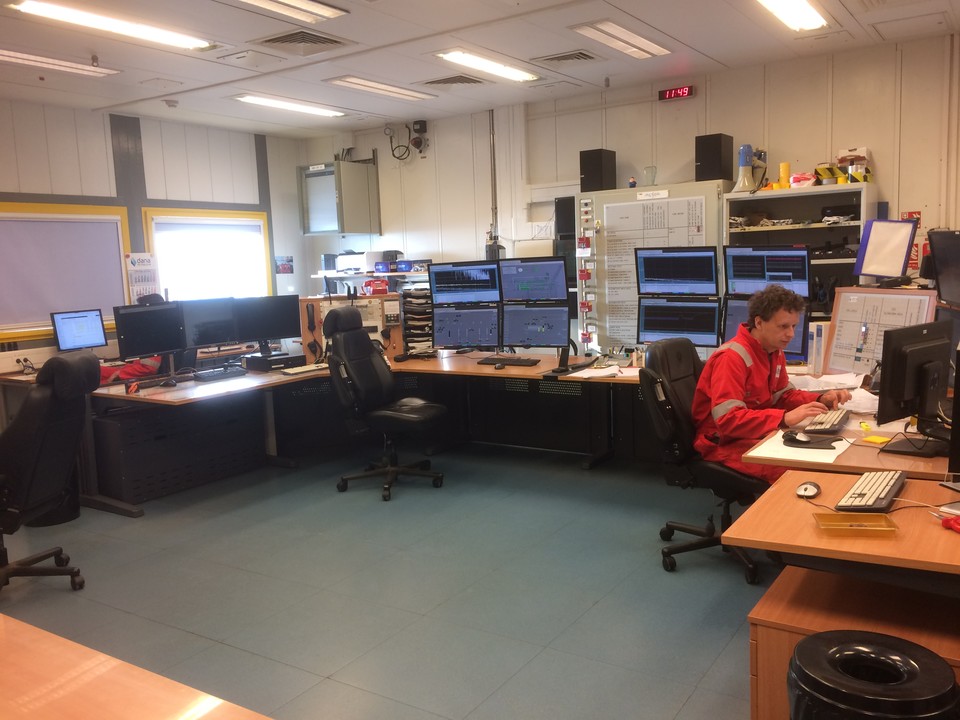
Office Inspection
An office may look safe at first glance. However, small issues can quickly become bigger problems. A loose cable can create a trip hazard. Poor lighting can affect visibility. An uncomfortable workstation can cause strain. A blocked exit can create a serious emergency risk. That is why regular Office Inspection matters.
An office inspection gives managers, facility teams, and safety professionals a structured way to review the workplace. It helps identify hazards, check equipment and facilities, review housekeeping, and confirm that safety controls remain in place.
With eAuditor Audits & Inspections, teams can turn office inspections into a simple digital process. They can use customized checklists, record findings, capture photos, assign corrective actions, and generate inspection reports.
What Is an Office Inspection?
An Office Inspection is a systematic review of an office environment to identify hazards, check workplace conditions, and confirm that safety and facility standards are being maintained.
The inspection can cover both employee work areas and shared spaces.
Typical inspection areas include:
- Workstations
- Floors and walkways
- Stairs
- Entrances and exits
- Emergency routes
- Fire safety equipment
- Electrical equipment
- Office furniture
- Lighting
- Ventilation
- First aid
- Kitchens and break rooms
- Restrooms
- Storage areas
- Office equipment
- Housekeeping
- Waste management
- Ergonomics
- Workplace signage
The verified eAuditor Office Workplace Safety Checklist includes checks for floors, trip hazards, wet-floor signs, stairs, furniture, office equipment, storage, entrances, exits, signage, and parking areas.
Therefore, an office inspection can address much more than general cleanliness.
Why Is an Office Inspection Important?
Office hazards are often easy to overlook because they may seem minor.
However, repeated exposure to small hazards can lead to injuries, equipment damage, poor working conditions, or operational disruption.
Regular inspections help teams:
- Identify hazards early
- Reduce slips and trips
- Improve workplace housekeeping
- Check emergency routes
- Review fire safety controls
- Identify electrical hazards
- Improve workstation ergonomics
- Maintain office equipment
- Check lighting and ventilation
- Improve employee safety
- Track corrective actions
- Support workplace compliance
- Maintain better inspection records
Moreover, inspections give employees an opportunity to raise concerns about conditions that managers may not notice during normal office activities.
What Should an Office Inspection Cover?
A good inspection should reflect the actual office environment.
The exact checklist will vary by workplace. However, several areas are common.
1. General Housekeeping
Start with the overall condition of the office.
Check:
- Floors are clean
- Walkways are clear
- Waste is removed
- Storage is organized
- Boxes are not blocking routes
- Supplies are stored safely
- Furniture is positioned safely
- Work areas are orderly
- Spills are cleaned promptly
Good housekeeping reduces many simple workplace hazards.
The eAuditor Office Workplace Safety Checklist specifically checks floors for cleanliness, dryness, debris, clutter, and trip hazards, as well as stairs, hallways, furniture, chairs, equipment, and storage.
2. Floors and Walkways
Inspect all common walking areas.
Look for:
- Wet floors
- Uneven surfaces
- Loose flooring
- Damaged carpets
- Loose mats
- Cables across walkways
- Clutter
- Obstructions
- Poorly marked changes in floor level
Where floors are wet, ensure appropriate warning signs are used.
3. Stairs and Hallways
Stairs and hallways need clear access.
Check:
- Stairs are unobstructed
- Handrails are secure
- Steps are in good condition
- Stairwells have adequate lighting
- Hallways are clear
- Doors do not create hazards
- Emergency routes remain accessible
These checks help prevent falls and keep evacuation routes available.
4. Entrances and Exits
Review all main and emergency access points.
Check:
- Doors open correctly
- Exits are not blocked
- Exit signs are visible
- Emergency routes are clear
- Entry areas are well lit
- Doorways are in good condition
- Access routes are free from storage
The verified Office Workplace Safety Checklist includes checks for doors, routes, signs, exit visibility, entrances, and exterior parking areas.
5. Fire Safety
Fire safety should form a key part of every suitable office inspection.
Check:
- Fire extinguishers are accessible
- Fire equipment is clearly identified
- Fire exits are accessible
- Emergency signs are visible
- Alarm systems are maintained
- Fire doors are unobstructed
- Emergency routes are clear
- Fire equipment inspection records are current
The eAuditor Office Safety Inspection guidance specifically includes fire extinguishers, smoke detectors, emergency exit routes, and emergency equipment as inspection areas.
6. Electrical Safety
Office equipment can create electrical risks when cables, plugs, outlets, or appliances are damaged or poorly managed.
Check:
- Power cords
- Plugs
- Outlets
- Extension leads
- Power strips
- Computers
- Printers
- Kitchen appliances
- Chargers
- Electrical panels
- Visible signs of overheating or damage
Do not allow damaged electrical equipment to remain in service simply because it still works.
The eAuditor Office Safety Inspection guidance includes electrical cords, plugs, outlets, and equipment as part of the inspection process.
7. Workstations and Ergonomics
Workstation setup can affect employee comfort and long-term health.
Check:
- Chair adjustment
- Desk height
- Monitor position
- Keyboard placement
- Mouse position
- Screen glare
- Foot support where needed
- Adequate workspace
- Cable management
Also, ask employees whether their workstations cause discomfort.
A visual inspection alone may not identify every ergonomic issue.
8. Office Furniture and Equipment
Inspect furniture and equipment for damage or instability.
Check:
- Chairs
- Desks
- Cabinets
- Shelves
- Filing units
- Storage systems
- Printers
- Copiers
- Office machinery
- Trolleys
The eAuditor Office Safety Inspection guidance recommends checking furniture and office equipment for safe condition and proper operation.
9. Lighting
Poor lighting can affect safety, comfort, and productivity.
Check:
- Light fixtures
- Bulbs
- Emergency lighting
- Dark areas
- Glare
- Flickering lights
- Stair lighting
- Corridor lighting
- Workstation lighting
Replace defective lighting through the appropriate maintenance process.
10. Ventilation and Indoor Environment
A comfortable office needs suitable ventilation and environmental conditions.
Check:
- Air vents
- HVAC operation
- Blocked vents
- Temperature concerns
- Air circulation
- Visible moisture
- Unusual odors
- Signs of water damage
The verified eAuditor Office Safety Inspection guidance includes air quality and ventilation checks.
11. First Aid and Emergency Equipment
Employees should know where emergency equipment is located.
Check:
- First aid kits
- Emergency contact information
- First aid supplies
- Emergency equipment
- Accessibility
- Inspection dates
- Signage
The eAuditor Office Safety Inspection guidance includes first aid kits and emergency equipment as part of the office inspection.
12. Kitchen and Break Areas
Shared kitchen spaces require regular checks.
Inspect:
- Countertops
- Sinks
- Refrigerators
- Microwaves
- Coffee machines
- Drinking water
- Food storage
- Waste bins
- Floors
- Electrical appliances
- Cleaning standards
A clean and orderly break area reduces hygiene problems and helps prevent slips and spills.
13. Restrooms
Check:
- Toilets
- Sinks
- Soap
- Hand-drying supplies
- Floors
- Lighting
- Ventilation
- Waste bins
- General cleanliness
- Plumbing issues
Cleaning and hygiene should be reviewed regularly.
14. Storage Areas
Storage problems can create both safety and operational issues.
Check:
- Shelves are stable
- Heavy items are stored safely
- Storage does not block exits
- Boxes are not stacked unsafely
- Chemicals are stored appropriately
- Walkways remain clear
- Cabinets are secure
- Materials are organized
15. Office Signage
Signs should be clear and visible.
Check:
- Exit signs
- Fire safety signs
- Emergency information
- Warning signs
- Restricted-area signs
- First aid signs
- Directional signs
Replace damaged or unclear signs when necessary.
Office Inspection Checklist Example
A practical office inspection can include the following sections.
General Workplace
- Floors clean and dry
- Walkways clear
- Stairs clear
- Furniture secure
- Chairs in good condition
- Equipment stored correctly
- Waste controlled
Entrances and Exits
- Doors unobstructed
- Emergency exits clear
- Exit signs visible
- Hallways clear
- Entrances adequately lit
- Emergency routes accessible
Fire Safety
- Fire extinguishers accessible
- Fire equipment identified
- Fire exits clear
- Fire signs visible
- Alarm systems maintained
- Emergency procedures available
Electrical Safety
- Cords undamaged
- Plugs in good condition
- Outlets safe
- Extension leads controlled
- Electrical equipment in good condition
- No visible overheating
- Panels accessible
Ergonomics
- Chairs adjusted
- Desks suitable
- Monitors positioned correctly
- Workstations free from obvious ergonomic issues
- Cables managed
- Employee concerns reviewed
Emergency Equipment
- First aid kit available
- First aid supplies adequate
- Emergency contacts visible
- Emergency equipment accessible
- Required inspections current
Environment
- Lighting adequate
- Ventilation working
- Temperature suitable
- No obvious water damage
- Air vents unobstructed
Common Areas
- Kitchen clean
- Restrooms clean
- Break areas orderly
- Waste removed
- Appliances in safe condition
Storage
- Shelves stable
- Materials stored safely
- Heavy items positioned appropriately
- Exits clear
- Chemicals controlled
- Storage areas organized
Corrective Actions
- Finding recorded
- Photo attached where useful
- Responsible person assigned
- Priority identified
- Due date recorded
- Corrective action verified
How to Conduct an Office Inspection
A consistent process helps inspectors avoid missing important areas.
Step 1: Prepare the Inspection
Before starting, review:
- Previous findings
- Outstanding corrective actions
- Recent incidents
- Office changes
- New equipment
- Maintenance concerns
- Employee complaints
This gives the inspector useful context.
Step 2: Walk Through the Office
Follow a consistent route.
For example:
Reception → Workstations → Meeting Rooms → Kitchen → Restrooms → Storage → Emergency Routes → Exterior Areas
A consistent route reduces the chance of missing a section.
Step 3: Check Each Area
Use the inspection checklist to review each condition.
Mark the item as:
- Compliant
- Non-compliant
- Needs attention
- Not applicable
Use the response options that fit your organization's process.
Step 4: Record Findings
When you identify an issue, provide enough information for someone else to understand it.
Include:
- Location
- Problem
- Risk
- Photo
- Recommended action
Step 5: Speak With Employees
Employees often notice issues before management does.
Ask about:
- Ergonomic concerns
- Equipment problems
- Lighting
- Temperature
- Noise
- Access
- Housekeeping
- Repeated hazards
Step 6: Assign Corrective Actions
Do not stop at identifying a problem.
Assign:
- Responsible person
- Action
- Priority
- Due date
Step 7: Generate the Report
Summarize the inspection results.
Highlight:
- Compliant areas
- Findings
- High-priority issues
- Photos
- Corrective actions
- Outstanding items
Step 8: Verify Completion
Follow up on open findings.
A closed action should mean the issue was actually addressed, not simply that someone marked it complete.
Common Problems Found During Office Inspections
Blocked Walkways
Boxes, bags, cables, and furniture can reduce safe access.
Poor Cable Management
Loose cables can create trip hazards and may also become damaged.
Damaged Furniture
Broken chairs, unstable shelves, and damaged desks can create injury risks.
Blocked Emergency Exits
Storage should never interfere with emergency routes.
Poor Ergonomic Setup
Employees may work for long periods with poorly adjusted chairs, desks, or monitors.
Electrical Overloading
Too many devices connected to unsuitable power arrangements can create electrical risks.
Poor Housekeeping
Clutter and spills can quickly create slips, trips, and falls.
Insufficient Lighting
Dark areas can affect visibility and increase the risk of accidents.
Missing Emergency Supplies
First aid equipment or emergency information may be unavailable when needed.
Unresolved Findings
Repeated findings often indicate that the corrective action process needs improvement.
How eAuditor Audits & Inspections Handles Office Inspections
eAuditor Audits & Inspections provides a digital approach to office inspections.
Its verified Office Safety Inspection guidance recommends using a customizable checklist covering areas such as ergonomics, fire safety, electrical safety, slip and trip hazards, first aid, ventilation, office equipment, hazardous materials, lighting, cleanliness, and hygiene.
Create a Customized Office Inspection Checklist
Teams can build an inspection around their own office.
For example, the checklist can include:
- Workstations
- Fire safety
- Electrical safety
- Housekeeping
- Emergency equipment
- Lighting
- Ventilation
- Storage
- Kitchen
- Restrooms
- Office equipment
- Ergonomics
This means the inspection can match the actual workplace instead of relying on irrelevant questions.
Inspect the Office Digitally
Inspectors can work through the checklist as they move around the office.
The verified eAuditor Office Safety Inspection process describes opening the checklist in eAuditor and inspecting each area while recording findings.
This makes the inspection easier to standardize.
Capture Photos
Photos can provide useful evidence.
For example, inspectors can photograph:
- Blocked exits
- Damaged furniture
- Unsafe cables
- Poor storage
- Electrical issues
- Housekeeping problems
- Ergonomic concerns
eAuditor's Office Safety Inspection guidance specifically recommends using photos to document issues.
Record Findings and Ratings
Digital response fields help inspectors record whether requirements are met.
The eAuditor Office Workplace Safety Checklist uses Yes, No, and N/A responses across its inspection sections.
Teams can structure their own forms around the response types that best fit their inspection process.
Create Inspection Reports
Once the inspection is complete, teams can generate a report containing findings, ratings, notes, and recommendations.
This provides a clearer summary for:
- Facility managers
- HR teams
- Safety managers
- Management
- Maintenance teams
- Contractors
The official eAuditor Office Safety Inspection guidance describes generating reports and sharing them with relevant personnel for review and follow-up.
Track Corrective Actions
An inspection should lead to improvement.
If an inspector identifies a blocked exit, damaged chair, electrical concern, or poor housekeeping, the issue can be documented and followed through the corrective action process.
The broader eAuditor Workplace Inspection guidance highlights customizable checklists, real-time data capture, corrective action tracking, and automated reporting.
Schedule Regular Inspections
Offices change over time.
Furniture moves. Employees change workstations. Equipment is added. Storage increases. Maintenance issues appear.
Therefore, regular inspections help maintain standards.
The verified eAuditor Office Safety Inspection guidance recommends scheduling inspections at regular intervals and tracking corrective actions to verify improvements.
Benefits of Using an Office Inspection Checklist
Better Hazard Identification
A structured checklist helps inspectors look at more than the obvious issues.
Improved Workplace Safety
Regular inspections help teams identify and address hazards before they cause incidents.
Consistent Inspections
Every inspection can follow the same core process.
Better Housekeeping
Routine checks encourage employees and facility teams to maintain clean and organized work areas.
Improved Ergonomics
Workstation issues can be identified and addressed.
Stronger Emergency Preparedness
Exit routes, fire equipment, and emergency supplies can be reviewed regularly.
Better Documentation
Digital records create a clearer history of workplace conditions.
Faster Corrective Actions
Findings can move directly into follow-up.
Improved Management Visibility
Managers can review inspection results without being present during the inspection.
Continuous Improvement
Repeated findings can reveal wider problems that need a long-term solution.
Best Practices for Office Inspections
Inspect the Entire Workplace
Do not focus only on desks. Include shared areas, storage, entrances, emergency routes, kitchens, restrooms, and other relevant spaces.
Use a Consistent Route
A repeatable inspection path helps reduce missed areas.
Keep Questions Clear
Inspectors should understand exactly what each checklist item means.
Use Photos for Important Findings
Visual evidence can make corrective actions easier to understand.
Ask Employees for Feedback
Workers may identify problems that a visual inspection misses.
Review Previous Findings
Check whether recurring issues were actually corrected.
Assign Responsibility
Every significant finding should have a clear owner.
Set Realistic Due Dates
Actions should have deadlines that match their importance.
Verify Corrective Actions
Do not close an action until the condition has been addressed.
Update the Checklist
Change the inspection when office layouts, equipment, risks, or processes change.
Frequently Asked Questions
1. What is an Office Inspection?
An Office Inspection is a structured review of an office environment to identify hazards, check workplace conditions, and confirm that safety, housekeeping, equipment, and emergency controls are maintained.
2. What should an Office Inspection Checklist include?
It can include housekeeping, floors, walkways, stairs, exits, fire safety, electrical safety, ergonomics, lighting, ventilation, furniture, office equipment, storage, first aid, kitchens, restrooms, and corrective actions.
3. How often should an office be inspected?
The frequency should match the organization's risks and requirements. Regular monthly or quarterly inspections may be suitable for some offices, while higher-risk environments may require more frequent checks.
4. Why should office inspections include ergonomics?
Poor workstation setup can contribute to discomfort and musculoskeletal problems. Reviewing chairs, desks, monitors, keyboards, and other workstation factors can help identify areas that need improvement.
5. Should employees participate in office inspections?
Yes. https://eauditor.app/2026/10/08/office-inspection/


Comments
Post a Comment